

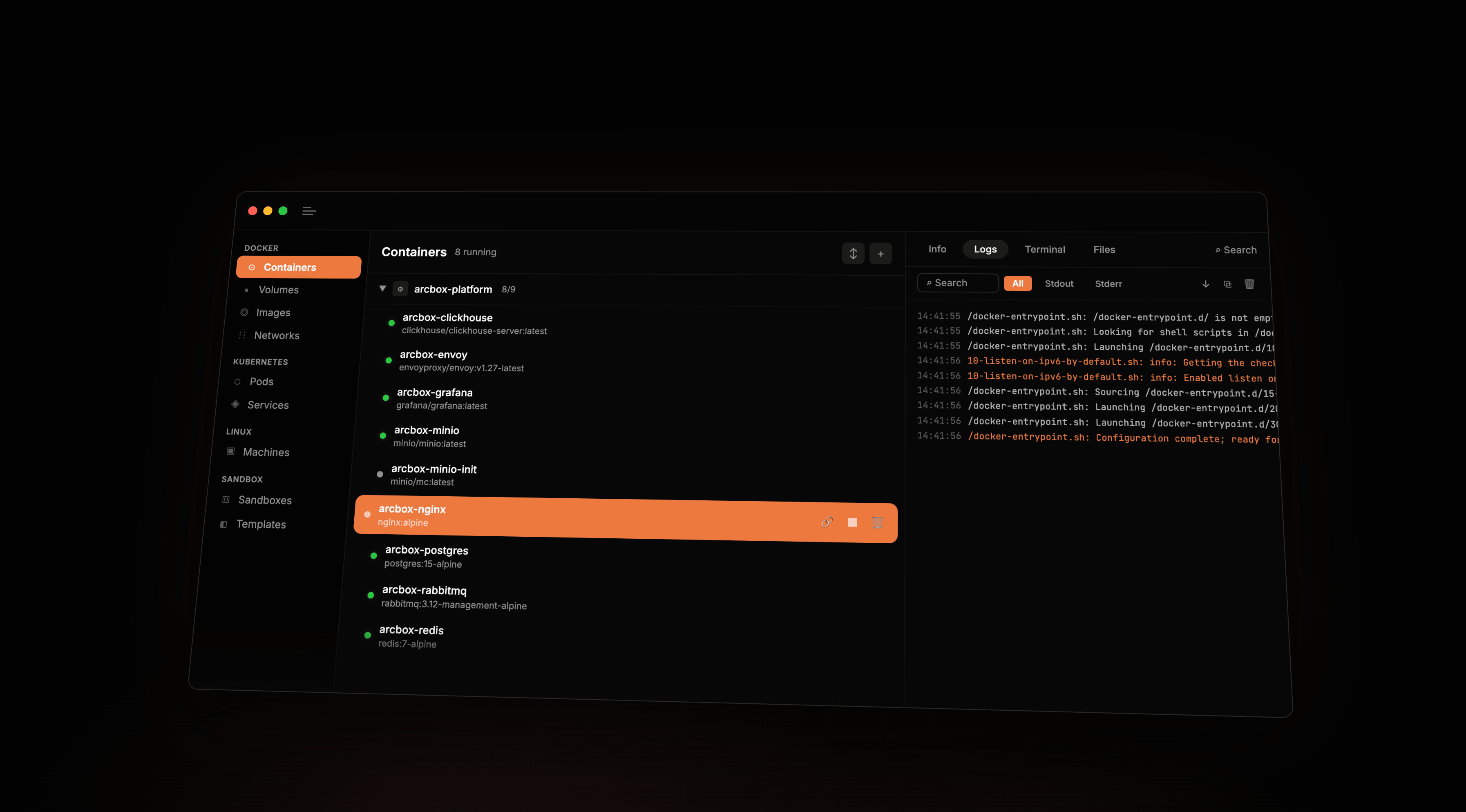
Today we're releasing the public beta of ArcBox Desktop, a Docker Desktop alternative for macOS. The runtime is written in Rust. The desktop app is native SwiftUI. The code is open source under MIT/Apache-2.0.
Why we built this
Docker Desktop is the incumbent. OrbStack is the bar. OrbStack showed that running Docker on Mac can be much faster and lighter. But it's closed-source.
We also want to build VM-isolated sandboxes for running untrusted code. That means a real VM runtime: hypervisor integration, shared filesystems, networking, guest services, and lifecycle management. Most of that work also matters for a container desktop, so we started here.
What we actually built
We built our own runtime.
The runtime is about 116,000 lines of Rust across 26 crates. On macOS, the launch path combines our own systems code with Apple's Virtualization.framework. The repo also contains lower-level pieces for Linux/KVM and the sandbox runtime.
Virtualization.framework bindings. We wrote our own Rust bindings around Virtualization.framework: objc2-based wrappers plus hand-rolled objc_msgSend calls for VM configuration, shared directories, networking attachments, vsock, and VM lifecycle.
Custom macOS networking datapath. On macOS, ArcBox sets up a socketpair-backed VZFileHandleNetworkDeviceAttachment, then runs a Rust datapath task that handles DHCP, DNS forwarding, TCP via smoltcp, inbound port relay, and host socket proxying, without falling back to pf NAT or a utun device.
Runtime foundations. The runtime also includes custom virtio-net, virtio-blk, virtio-fs, virtio-console, and virtio-vsock crates, plus a VirtioFS/FUSE stack with parallel dispatch via rayon on the Linux/KVM side and lock-free SPSC packet queues in the networking stack.
Guest agent. A Rust guest agent runs inside the VM and talks to the host over vsock with protobuf messages. It mounts shared directories, reports runtime readiness, and exposes guest-side Docker and Kubernetes API proxies.
Docker compatibility
ArcBox exposes a Docker-compatible socket on the host and proxies requests to a guest dockerd inside the VM. If you already live in the Docker CLI, ArcBox should feel like a drop-in replacement.
arcbox docker enable   # creates and activates the "arcbox" Docker context
docker compose up      # works
docker build -t myapp .
docker run -p 8080:80 nginx
In practice, the basics are there: Docker CLI integration, Compose, port forwarding, bind mounts, named volumes, and interactive exec and terminal flows.
The main missing piece right now is x86/amd64 image emulation. This beta is ARM64-first, and some less common API corners still need work. If you hit something broken, file an issue.
ArcBox also includes native k3s lifecycle support for local Kubernetes clusters.
The desktop app
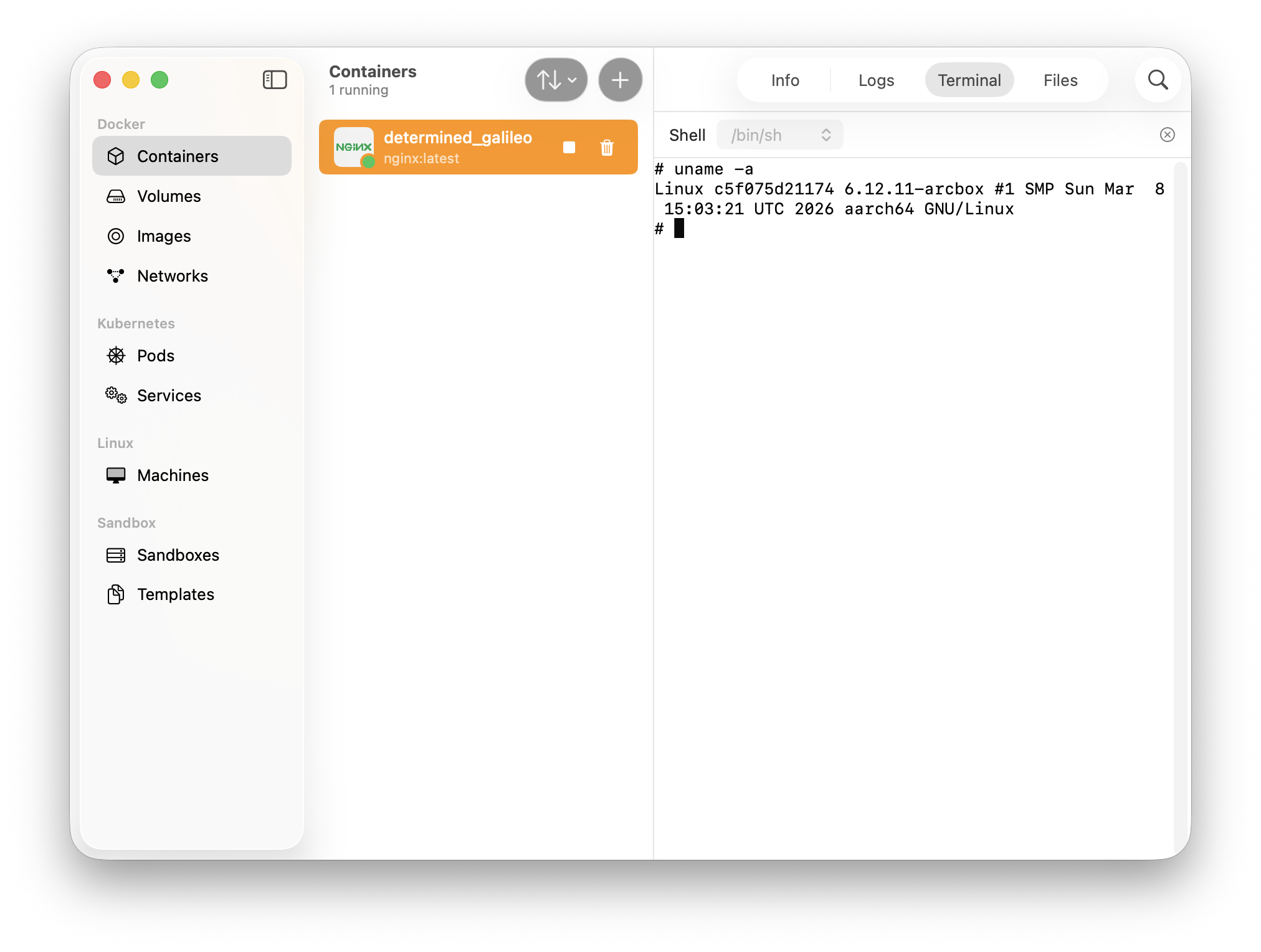
ArcBox Desktop is a native SwiftUI app. It talks to the ArcBox daemon over gRPC for ArcBox-specific operations and uses the Docker-compatible API for Docker resources.
At launch it covers Docker (containers, images, volumes, networks) and Kubernetes (pods, services). For Docker workloads, you get real-time log streaming with search and stdout/stderr filtering, an interactive terminal, and a file browser for the container rootfs.
This beta is focused on Docker and Kubernetes. Machines and sandboxes come next.
Performance
We're not publishing benchmark charts today. This category is full of one-off screenshots and cherry-picked numbers, and we don't want to do that. We want a reproducible benchmark suite before we start posting results.
Until then, the real test is your workload: builds, bind mounts, Compose projects, and everyday docker use on your Mac.
Open source
The runtime is at github.com/arcboxlabs/arcbox. The desktop app is at github.com/arcboxlabs/arcbox-desktop. Both are MIT/Apache-2.0.
Pricing
Personal use is and will be free forever. Commercial use is free during public beta while we figure out our ideal pricing model.
What's coming
The same runtime also powers our sandbox work: VM-isolated environments for running untrusted workloads. If you've used E2B, that's the category we're aiming at on the sandbox side of ArcBox.
We're also continuing the Linux/KVM side of the runtime and wiring up Rosetta-backed x86 support that already has code in the repo.
Try it
This is a public beta, so expect rough edges. But the code is open, and you can try it right now.
brew install --cask arcboxlabs/tap/arcbox- Docs: arcbox.dev/docs
- Runtime: github.com/arcboxlabs/arcbox
- Desktop app: github.com/arcboxlabs/arcbox-desktop
If something breaks, open an issue. If you can fix it, open a PR.